Image
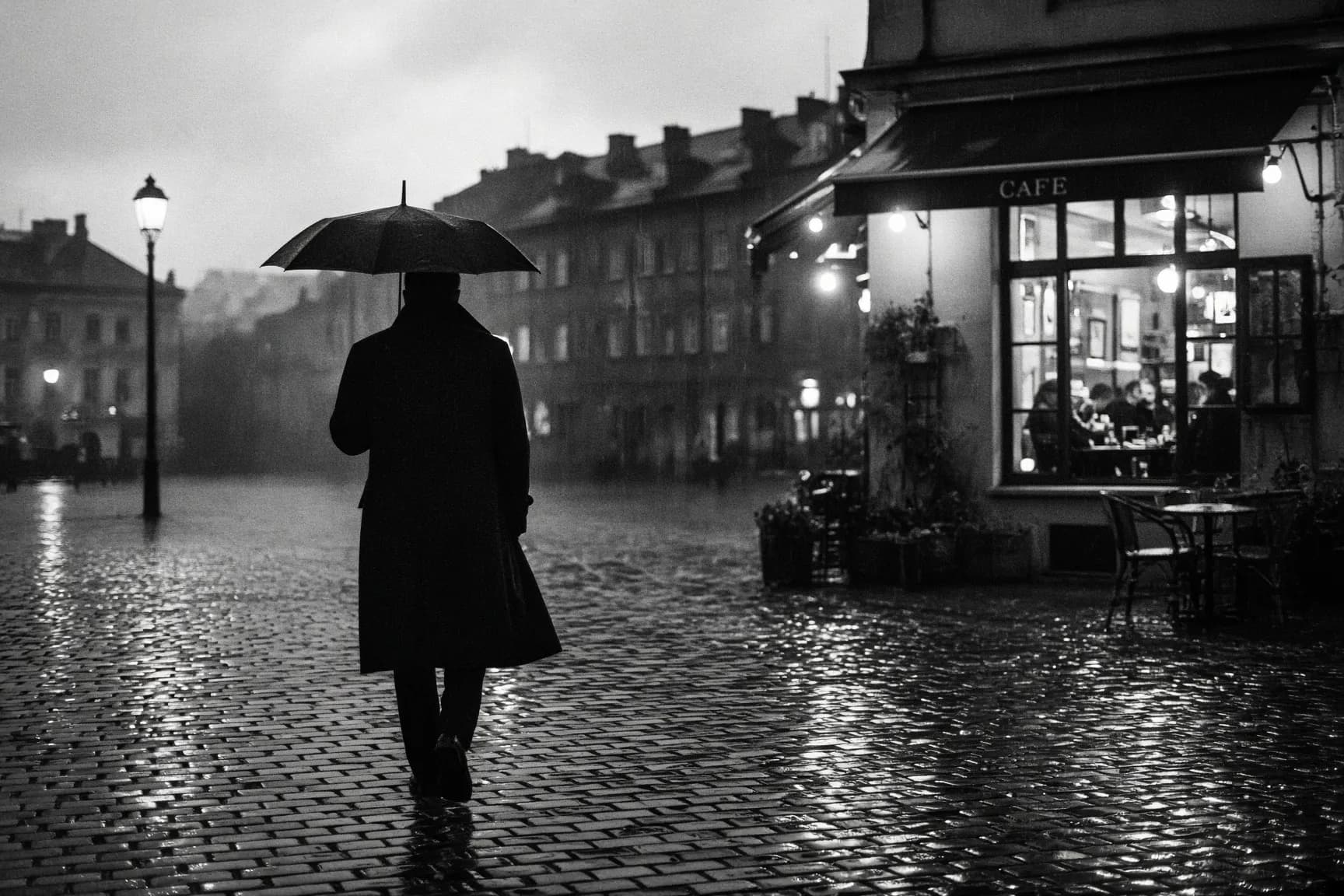
A black-and-white street photo on a rainy square
A grainy 35mm-style street scene from xAI's Grok Imagine Image 2.0: a man with an umbrella crossing wet cobblestones at dusk, lit by a café window.
Steps and cost
| Step | Model | Credits |
|---|---|---|
| Generate the photo | Grok Imagine Image 2.0 | 12 |
| Total | 12 | |
What you get
A 3:2 black-and-white frame of a man with an umbrella walking across a wet cobblestone square, his back to the camera, with the light from a café window spilling across the stones. The grain and the reflections give it the look of a 35mm print.
Why this model
Grok Imagine Image 2.0 from xAI fills in mood well from a short prompt, and it costs less than Nano Banana 2 for one image. Naming the film format ("grainy 35mm") and one light source ("backlight from a café window") does most of the work.
Variations to try
- Other cities: a tram stop in the snow, a night market, a station platform in fog.
- Colour version: ask for muted colour film instead of black and white, same scene.
- Print size: upscale the result for a framed print or a large banner.
Questions
Why Grok Imagine for this photo?
Grok Imagine Image 2.0 gave a moody, grainy result from a one-line prompt, and it costs less than Nano Banana 2. It is a good choice for atmosphere; for exact product details, use Nano Banana 2.
Can I set the resolution?
Grok Imagine Image 2.0 takes an aspect ratio but no resolution setting. For a larger file, upscale the result afterwards.
Can I edit my own street photo with it?
Yes. Grok Imagine Image 2.0 edits from plain-language instructions and takes up to five source images, for example to turn a colour photo into a rainy black-and-white scene.