Generate images and video in Claude
Claude can't create images, video or audio by itself. Add Makemancer as a custom connector and Claude.ai, Claude Desktop and Cowork can generate images with Nano Banana or GPT Image, video with Seedance, Kling or Wan, plus voiceovers and music. A Nano Banana 2 image costs 12 credits ($0.12), and you need no API key.
Set it up
Install the Claude plugin
One install adds the connector and every Makemancer skill, and keeps them updated. Works in Claude.ai, Claude Desktop and Cowork.
- 1
Add the Makemancer marketplace
In Claude, open Customize, then Plugins. Under Personal plugins choose +, then Add marketplace, and paste:
makemancer/makemancer-marketplace - 2
Add the plugin
Find Makemancer and choose Add. This adds the connector and every skill to your Claude account.
- 3
Connect and sign in
Open the plugin's Connectors tab, choose Connect and sign in with your Makemancer account.
Done. Start a new chat and try the prompt below.
Works on every Claude plan, Free included; on Team and Enterprise your admin may need to allow plugins. No Plugins tab? Add the connector and the skills by hand below. Official guide
Other ways to connect
No Plugins tab? Add the connector and skills by hand
- 1
Open connector settings
Open Claude's connector settings. The button opens the Add custom connector dialog. In Claude Desktop, go to Customize, then Connectors, then Add.
Open connector settings - 2
Paste the server URL
Name it Makemancer, paste this server URL and choose Continue.
https://makemancer.com/api/mcp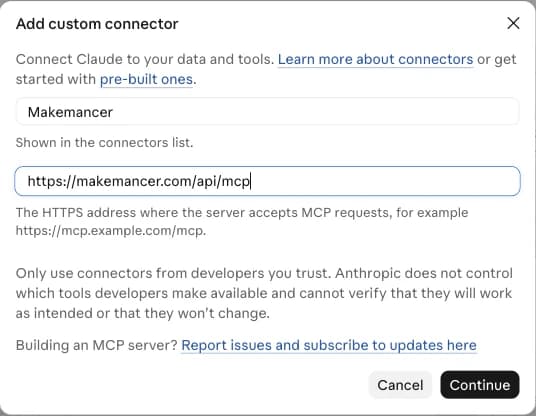
- 3
Connect and sign in
Choose Connect and sign in with your Makemancer account. In a chat, open the tools menu and check that Makemancer is switched on.
- 4
Add the skills
Download the skills ZIP, then in Claude open Customize, then Skills, choose +, then Upload a skill, and pick the ZIP. Your assistant then follows the same workflows as the plugin.
Download makemancer-skill.zip
First, ask for this
Use Makemancer to make one square photo of a speckled stoneware mug of coffee on linen, soft morning light. Use Nano Banana 2 and tell me the cost first.
What you can do
- Make images from a description
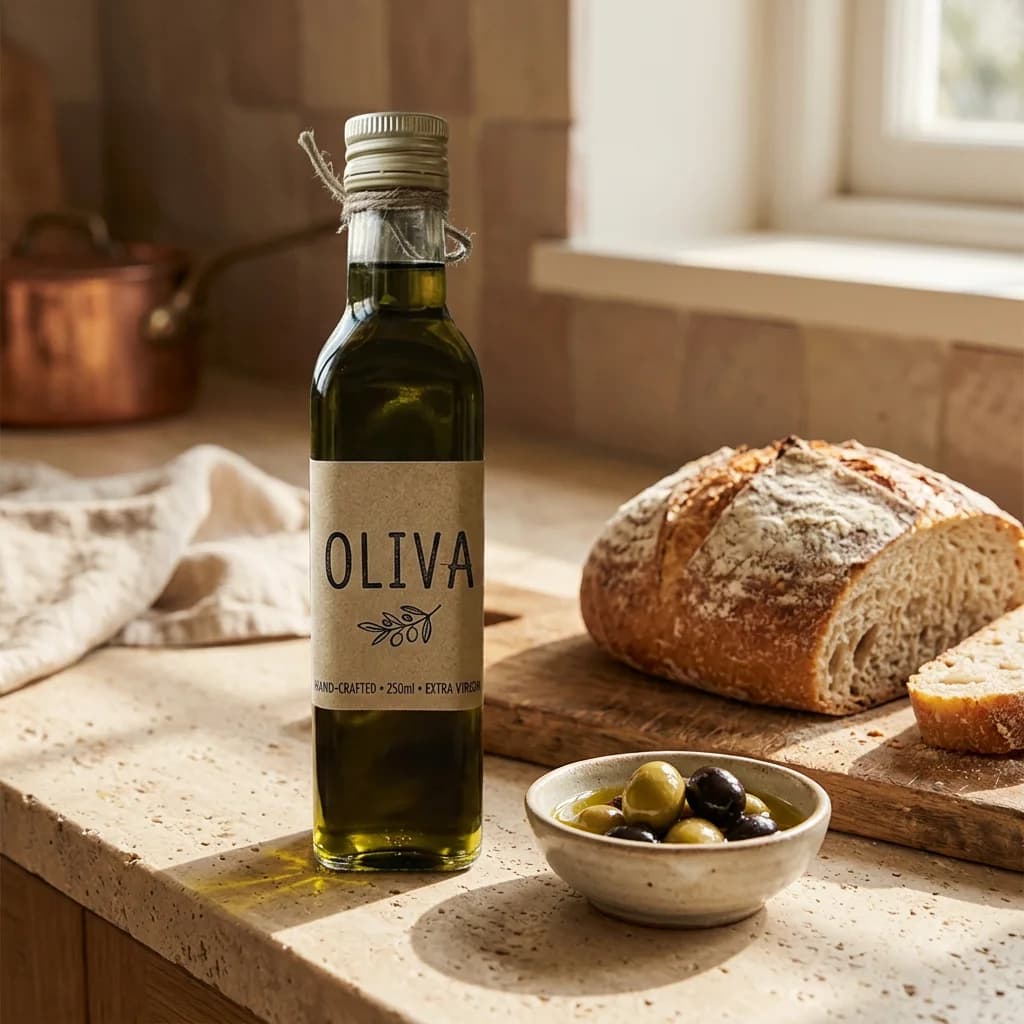
- Ask for a photo, poster or illustration in plain words. Claude uses Nano Banana 2 unless you name another model, such as GPT Image 2 for posters with exact wording.
- Turn a still into video
- Ask Claude to animate an image, and it passes the picture to a video model such as Seedance 2.0 Mini as the first frame. Most clips come back with sound.
- Edit photos and build matching sets
- Give Claude an image and say what to change, or ask for several scenes that keep one product the same. It can also remove a background and upscale the result.
- Voiceovers, music and sound effects
- Paste a script for an ElevenLabs narration, ask for a jingle or a background track, or describe a sound effect. Each result is a file with a permanent link.
- Longer briefs in Cowork
- In Cowork, Claude can work through a brief with several parts, such as a set of social images and a short clip, calling the same tools step by step.
Limits to know
- One hand-added connector on the free plan
- The plugin installs on every Claude plan, Free included. Added by hand, the free plan allows one custom connector; paid plans allow more. On Team and Enterprise plans an owner adds the connector first, then each member connects their own account. The connection guide links Anthropic's article.
- Cowork needs a paid plan
- Cowork is available on paid Claude plans. It uses the connector you added in Claude, so there is nothing extra to install.
- Your own photos need a link
- To edit a photo, give Claude a direct link to it or pick an image from your Makemancer library. Files you attach in the chat are for Claude to read and are not passed to the connector. Claude Code can upload files from your project folder.
- Video and music take a few minutes
- Images usually return within a minute; clips and songs take longer. If a job is still running, ask Claude to check it. It picks up the result without starting a new job.
Why Claude needs a connector
Claude is a language model. It reads images and writes code for charts and diagrams, but it does not render photos, clips or audio. A connector gives it tools for that: Claude writes the model prompt from your request, quotes the cost, starts the job and shows the result. Name a model to choose it, or let Claude use the default for each kind of media.
Claude.ai, Claude Desktop and Cowork
The connector belongs to your Claude account. Add it once in Claude.ai and it is also there in Claude Desktop and in Cowork tasks. Claude Code is set up separately, from the terminal.
Questions
Can Claude generate images?
Not by itself. Claude can write SVG and HTML diagrams, but photos and illustrations need an image model. With Makemancer connected, Claude calls Nano Banana 2 by default and shows the image in the chat.
Can Claude generate videos?
Yes, through Makemancer. Ask for a clip from a description or from an image, and Claude uses a video model such as Seedance 2.0 Mini, Kling or Wan. A 5-second 480p Seedance 2.0 Mini clip costs 15 credits ($0.15).
Does image generation work in Claude Cowork?
Yes. Cowork uses the connectors on your Claude account, so once Makemancer is added in Claude, Cowork tasks can generate images and video too. Cowork needs a paid Claude plan.
Can I use it on the free Claude plan?
Yes. The plugin installs on every Claude plan, Free included, or the free plan can add Makemancer as its one custom connector. Generations are paid with credits from a one-time pack, from $10, with no subscription required.
Do I need a Google or OpenAI API key?
No. Makemancer runs the models. You sign in once with your Makemancer account, and you can ask for the cost of any request before it runs.
Where are my images saved?
Every result is saved to your Makemancer library with a permanent link, so you can download it or ask Claude to reuse it in a later chat.