GPT Image in Claude and ChatGPT
Yes. Connect Makemancer and Claude, ChatGPT or Codex can generate and edit images with OpenAI's GPT Image models: GPT Image 2, GPT Image 2.5 Flare and Sunburst, and GPT Image 2.6 Flare and Sunburst. Name the model in your request; an image costs from 9 credits ($0.09), and you never need an OpenAI API key.
Made with it
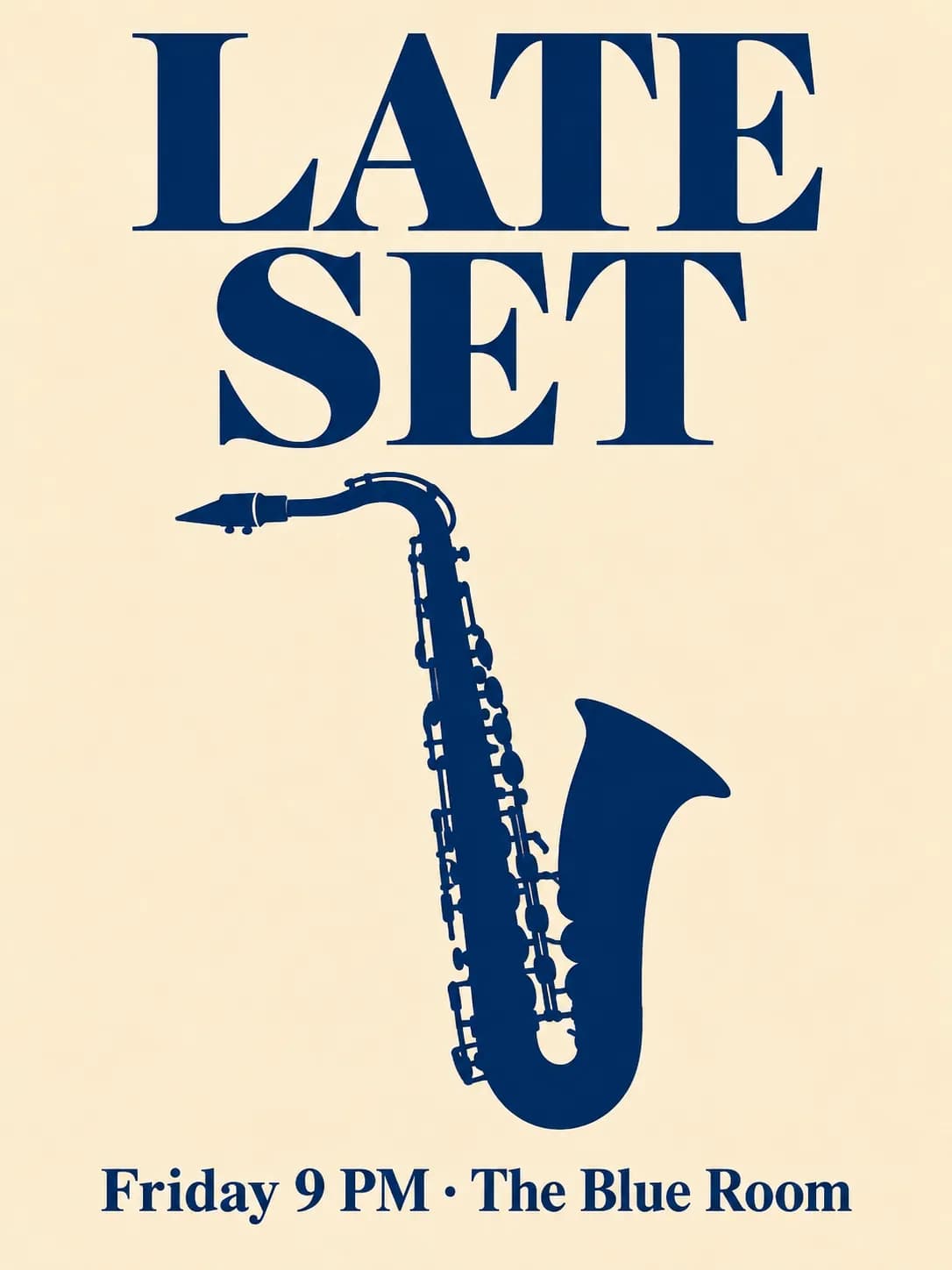
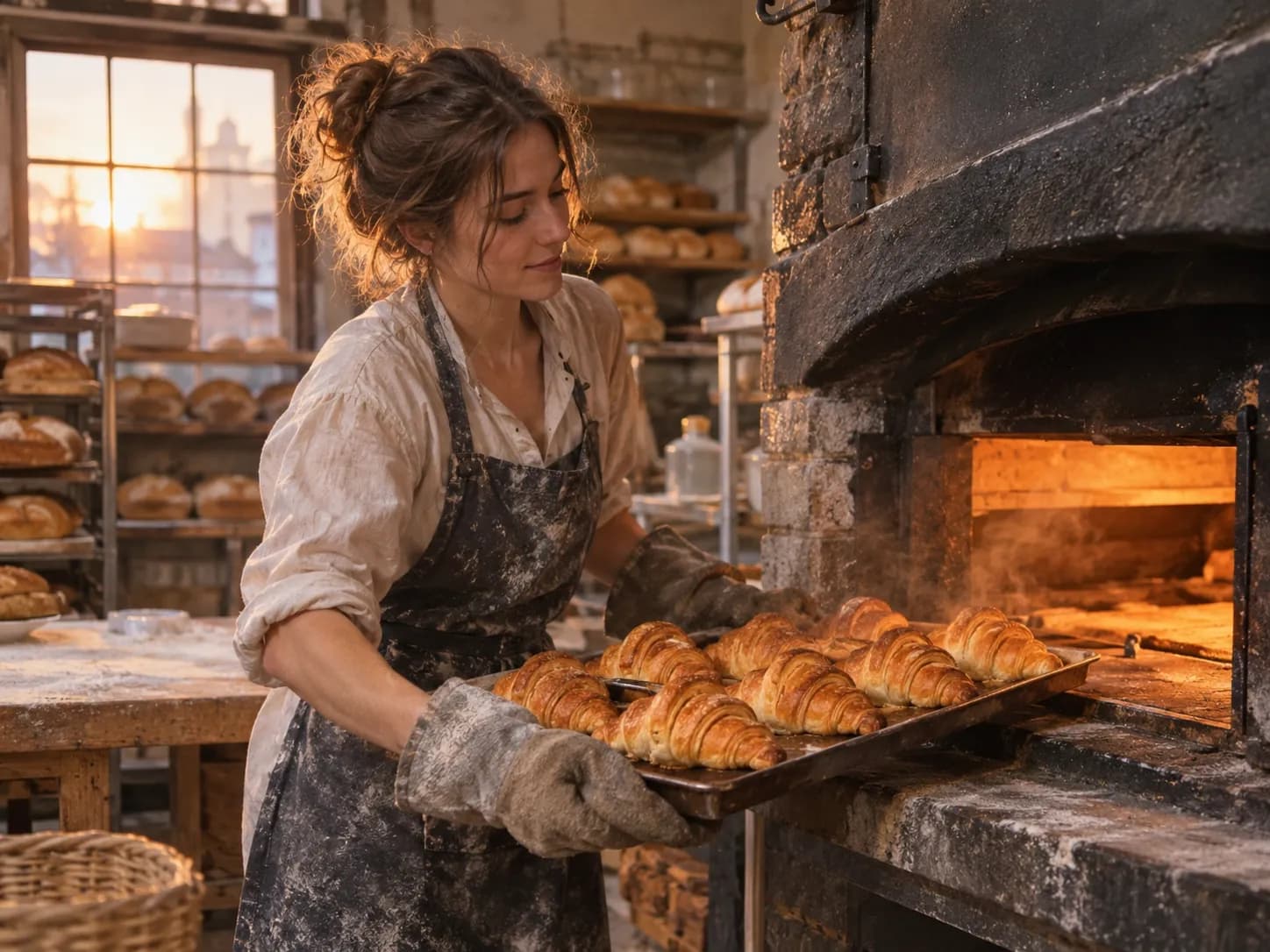
Our own results, first takes. Each caption says what it took.
What it costs
Credits per result at the settings shown, priced live. Ask the assistant for a quote on any other settings before it runs.
| Model | Best for | Priced for | Credits |
|---|---|---|---|
| GPT Image 2image/gpt-image-2 | OpenAI GPT Image 2. Fast, high-quality generation and editing with strong typography and prompt adherence. | 1K · image | 47$0.47 |
| GPT Image 2.5 Flareimage/gpt-image-2.5-flare | OpenAI GPT Image 2.5 Flare. Fast, high-quality everyday image generation and editing. | 1K · image | 12$0.12 |
| GPT Image 2.5 Sunburstimage/gpt-image-2.5-sunburst | OpenAI GPT Image 2.5 Sunburst. Precision-focused generation and editing with strong instruction following, typography, and detail fidelity. | 1K · image | 12$0.12 |
| GPT Image 2.6 Flareimage/gpt-image-2.6-flare | OpenAI GPT Image 2.6 Flare. OpenAI's fastest high-quality image generation and editing. | 1K · image | 9$0.09 |
| GPT Image 2.6 Sunburstimage/gpt-image-2.6-sunburst | OpenAI GPT Image 2.6 Sunburst. Precision-focused generation and editing that keeps details consistent from one edit to the next, with strong instruction following and typography. | 1K · image | 9$0.09 |
Ask for it
Paste one of these, or open it straight in a new chat. The assistant picks this model when you name it.
A poster with exact text
Make a 3:4 jazz night poster in Swiss style. Title "LATE SET" in large bold type, a saxophone silhouette, and the line "Friday 9 PM · The Blue Room" at the bottom. Use GPT Image 2 and tell me the cost first.Edit the text on an image
Here is my banner: <link or file>. Keep the layout and the photo, change the headline to "Summer sale ends Sunday" in the same font style. Use GPT Image 2.Quick drafts with Flare
Make four quick 1:1 thumbnail ideas for a podcast episode about home baking: flour, a rolling pin, warm kitchen colours, room for a short title. Use GPT Image 2.5 Flare.A detailed scene with Sunburst
Make a 4:3 photo of a baker pulling croissants from a stone oven, flour-dusted apron, steam in the light, every pastry crisp and distinct. Use GPT Image 2.5 Sunburst.When to use it
Good at
- Posters, covers and social cards where the words must be spelled exactly.
- Long, detailed briefs that should be followed line by line.
- Edits described in plain words: change the headline, change the colour, remove an object.
- Fast everyday images with GPT Image 2.5 Flare, and detail-critical work with GPT Image 2.5 Sunburst.
Use something else when
- Moody photographic scenes where light is the point: Nano Banana gave the most cinematic lighting in our tests. Nano Banana
- Flat vector-style illustration and brand graphics. Recraft
- Moving pictures: turn the still into a clip with a video model such as Wan. Wan
What GPT Image is good at
GPT Image 2 is strong on typography and on following the prompt as written. That makes it the model to name for posters, menus, covers and anything with a headline. It also edits from plain instructions: point it at an image, say what to change, and it keeps the rest.
The two 2.5 models split the work. GPT Image 2.5 Flare is tuned for fast, everyday images and drafts. GPT Image 2.5 Sunburst is precision-focused: use it when a brief has many instructions or when small details and text must come out right.
How it compares
We gave four image models the same jazz poster brief. All four spelled "LATE SET" and "Friday 9 PM · The Blue Room" correctly, and GPT Image 2 set the biggest, boldest title and filled the frame. On the baker photo it drew a detailed woman in a flour-dusted apron, while Nano Banana 2 had the more cinematic firelight. The image model comparison shows both prompts on all four models, first takes only.
Tips
- Quote the exact words. Put every line of text in quotation marks and say where it goes.
- Describe the layout. "Title across the top third, date in the bottom corner" works better than "nice layout".
- Draft fast, finish precise. Try ideas with GPT Image 2.5 Flare, then ask for the chosen one again with GPT Image 2.5 Sunburst.
Questions
Is GPT Image in Claude?
Claude does not make images by itself. With Makemancer connected, Claude can call GPT Image 2, GPT Image 2.5 Flare or GPT Image 2.5 Sunburst when you name them, and show the result in the chat.
ChatGPT already makes images. Why use GPT Image through Makemancer?
The same request then works in Claude and Codex too, every result goes into one library with a permanent link, and you can switch to Nano Banana, Seedream or FLUX in the same chat to compare.
Which GPT Image model should I pick?
GPT Image 2 is a good start for text and layout. GPT Image 2.5 Flare is the fast everyday option, and GPT Image 2.5 Sunburst is the one to name when instructions and fine detail must be followed precisely.
Do I need an OpenAI API key?
No. Makemancer runs the model for you. You sign in to Makemancer once and pay per image with credits.
How much does a GPT Image picture cost?
From 9 credits ($0.09) depending on the model and settings. The price table above lists each model at its sample settings, and the assistant quotes any request before it runs.