Generate images and video in Claude Code
Yes. Add Makemancer to Claude Code as a plugin or an MCP server and it can generate images with Nano Banana 2 or GPT Image, video with Seedance or Kling, plus voiceovers, music and sound effects. It edits files from your project folder and saves results into the repo. A Nano Banana 2 image costs 12 credits ($0.12).
Set it up
Install the Claude Code plugin
The connector and every skill in one plugin. Works in the terminal, IDEs and the desktop Code tab.
- 1
Add the marketplace
Run this inside Claude Code:
/plugin marketplace add makemancer/makemancer-marketplace - 2
Install the plugin
Then install it:
/plugin install makemancer@makemancer-marketplace - 3
Sign in
Run /mcp, choose makemancer and sign in when the browser opens.
/mcp Done. Try the prompt below.
Works with any Claude Code login. Added the server by hand before? Remove it with claude mcp remove makemancer so it does not show twice. Official guide
Other ways to connect
Add the MCP server only
- 1
Add the server
No skills, just the tools. Run this in your terminal:
claude mcp add --transport http makemancer https://makemancer.com/api/mcp - 2
Sign in
Start Claude Code, run /mcp, choose makemancer and sign in.
First, ask for this
Use Makemancer to make a square phone-style snapshot of a small hand-made olive oil bottle with a kraft paper label reading 'OLIVA' on a home kitchen counter. Use Nano Banana 2, tell me the cost first, then download the image to ./assets/oliva.png.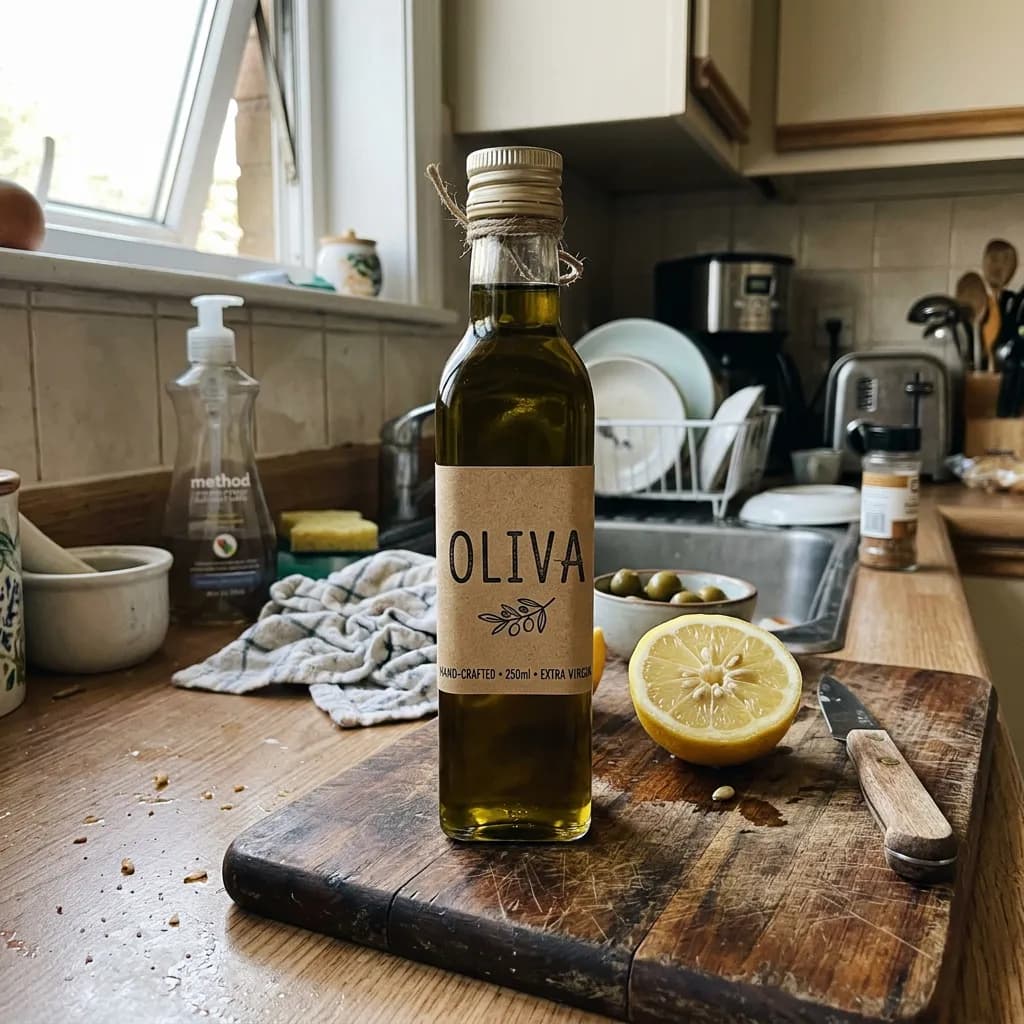
What you can do
- Edit files from your project
- Point to an image in the repo and say what to change. Claude Code uploads the file to Makemancer, runs the edit and gives you the new version.
- Save results into the repo
- Every result has a permanent link. Ask Claude Code to download it to a path such as public/images/, and it fetches the file with the shell tools it already has.
- Assets for apps and sites
- Hero images, product shots, icons, empty-state illustrations, UI sounds and short ambient loops, made in the same session as the code that uses them.
- Cut-outs and upscales
- Remove a background to a transparent PNG with BiRefNet, or upscale an image for a banner or a high-density screen.
- Workflow skills with the plugin
- The plugin adds skills for single images, product photo sets, video, voiceover, music and sound effects, so Claude Code follows a tested order of steps for each.
Limits to know
- Works with any Claude Code login
- No particular Claude plan is needed. The plugin and the MCP server use the same Makemancer account and credits.
- The terminal does not show media
- Claude Code returns links. Open them in a browser, or download the files and open them locally to look at a picture or play a clip.
- Files you edit are uploaded
- To edit a local file, Claude Code uploads it to your Makemancer library first. Don't point it at files you would not put in cloud storage.
- Video and music take a few minutes
- Claude Code can keep working while a job runs and check it later. Checking a job never starts or charges a new one.
Assets next to the code
Ask for an asset where you need it: "make a 16:9 hero image for this landing page and save it to public/hero.webp". Claude Code writes the model prompt from what it knows about the project, quotes the cost, waits for the job and downloads the file. It can then update the component that uses the image, in the same session.
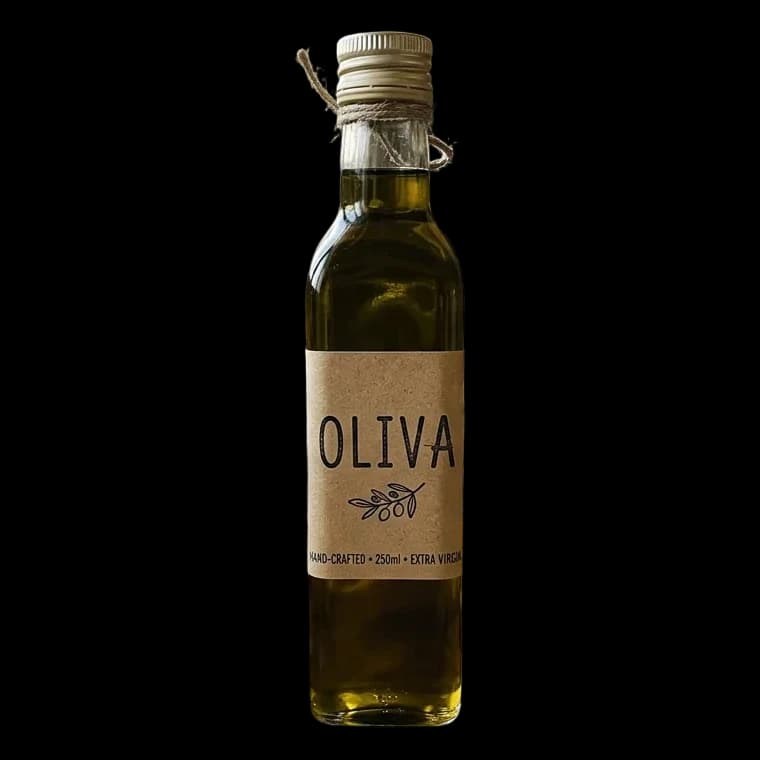
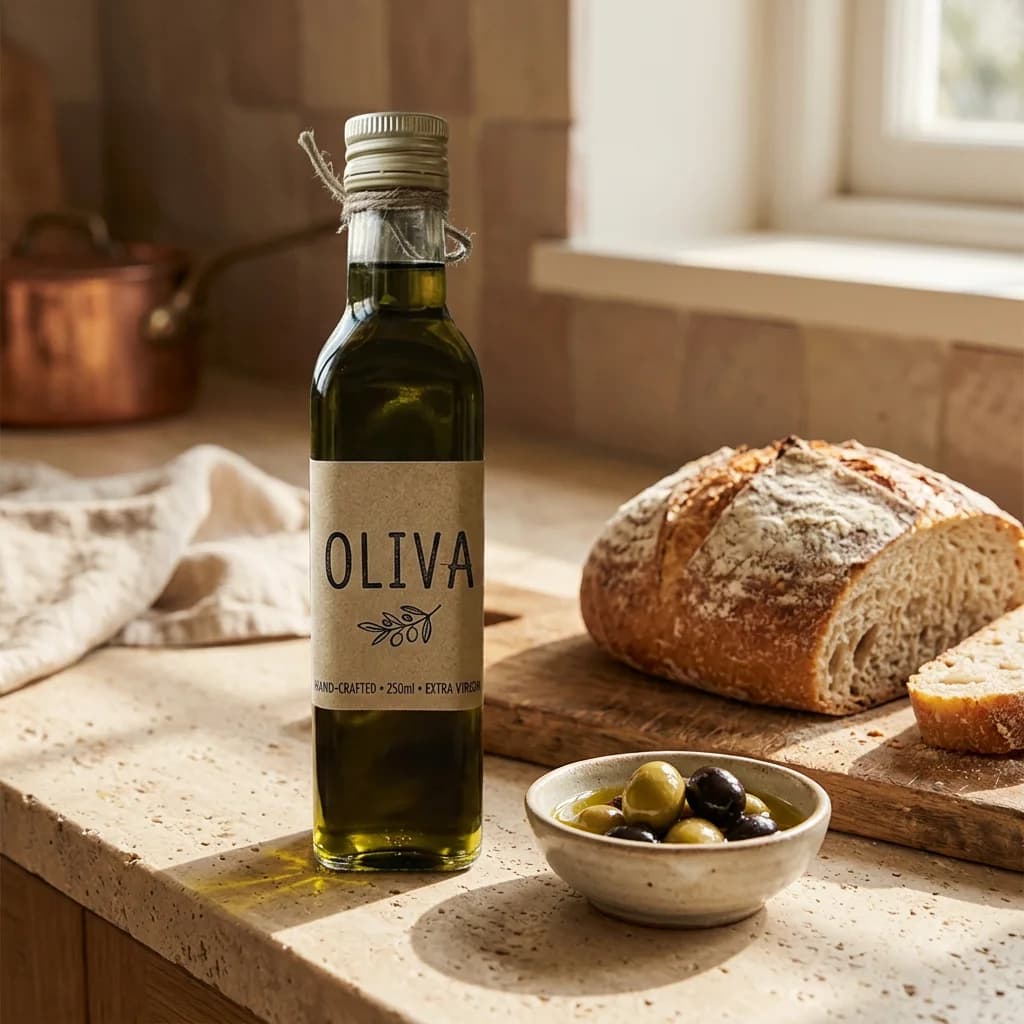
The images above show one such run: a phone snapshot of a product, the bottle cut out with BiRefNet after the photo was cropped to it on the phone, and a new kitchen scene made from the cut-out with Nano Banana 2. The full example has the prompt and every step.
Questions
Can Claude Code generate images?
Not on its own. With Makemancer added, Claude Code calls an image model such as Nano Banana 2 and gets back a permanent link, which it can download into your project.
How do I use Nano Banana in Claude Code?
Install the Makemancer plugin or add the MCP server, then ask for an image. Nano Banana 2 is the default; it takes up to 14 reference images; name Nano Banana Pro for scenes with many small details.
Can Claude Code generate video?
Yes. Ask for a clip from a description or from an image in the repo. A 5-second 480p Seedance 2.0 Mini clip costs 15 credits; Seedance 2.5 and Kling make longer, sharper clips.
Should I install the plugin or only the MCP server?
The plugin installs the server and the workflow skills together, so it is the better start. The MCP server alone gives the same tools without the skills.
Do I need a paid plan?
Any Claude Code login works. Generations are paid with Makemancer credits from a one-time pack, from $10, and failed jobs are refunded automatically.