Remove the background from images and videos in Claude and ChatGPT
Yes. Connect Makemancer and Claude, ChatGPT or Codex can remove the background from a photo and return a transparent PNG, using BiRefNet by default or Recraft. For video clips, Bria V-RMBG 3.0 and VEED remove the background around the subject. Send the file and say what to keep; one image cut-out costs $0.02.
- Bring
- Any photo
- Get
- A transparent PNG cut-out
- From
- 2 credits · $0.02
- Works in
- ClaudeChatGPTClaude CodeCodex


Made with it
Our own results, first takes. Each caption says what it took.
How to do it
Connect Makemancer
Add Makemancer to Claude, ChatGPT, Claude Code or Codex. The steps for each client are on the connection page.
Send the image or clip
Share a link or attach the file and ask for a cut-out. For a photo you get a transparent PNG; for a video, say which format you need.
Here is my product photo: <link or file>. Remove the background and give me a transparent PNG. Tell me the cost first.Check the edges and use the cut-out
Look at the cut-out on a dark and a light background. If something next to the product stays in, crop the photo to the product in your phone's photo app, send the cropped copy and run it again. Then use the cut-out as the reference for new scenes.
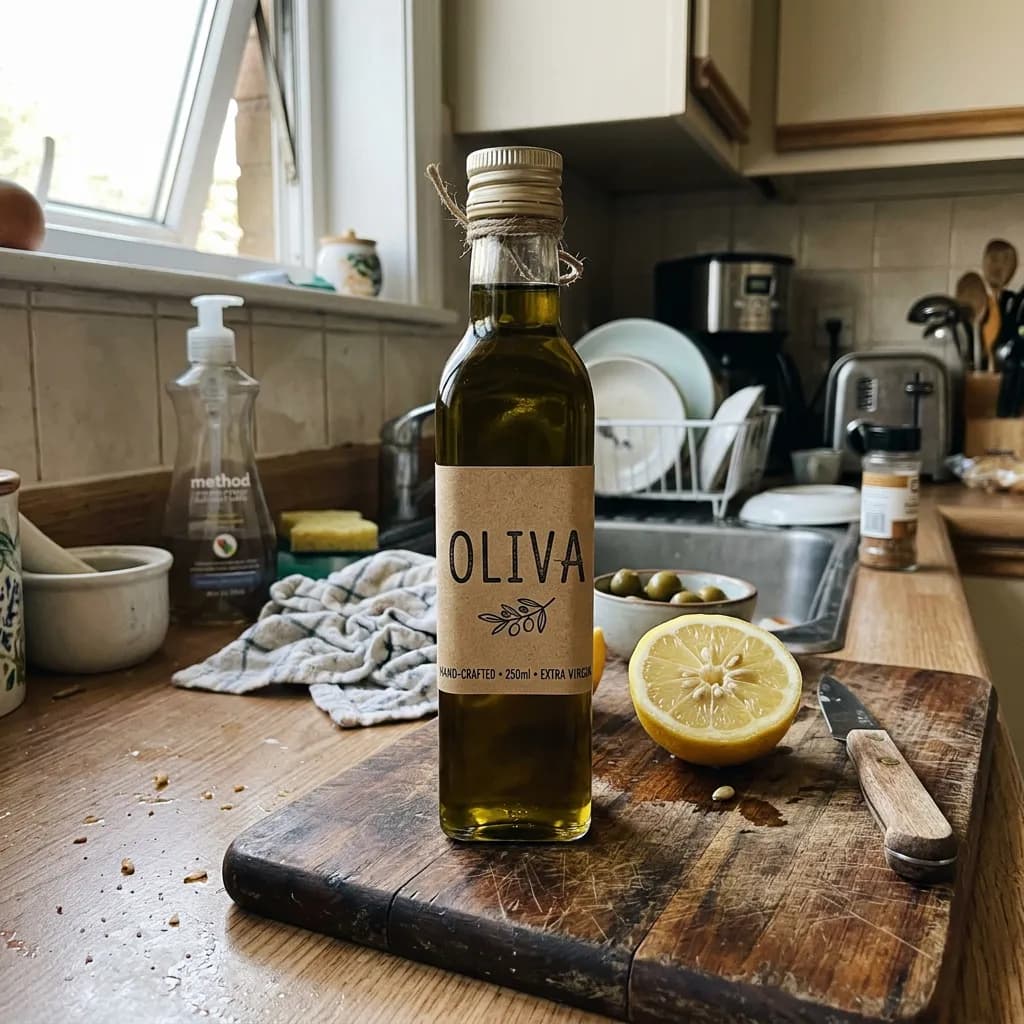
The lemon next to the bottle stayed in the cut-out. Here is the same photo, cropped to the bottle: <link or file>. Remove the background from this one, then place the bottle on a plain white background, square, for a marketplace listing.
Which model to use
| Model | Best for | Priced for | Credits |
|---|---|---|---|
| BiRefNet v2background-removal/birefnet | The default for photos: a transparent PNG with clean edges on products and people. | per request | 2$0.02 |
| Recraft Remove Backgroundbackground-removal/recraft | A transparent PNG from a source of 256-4096 px per side. | per request | 2$0.02 |
| Bria V-RMBG 3.0background-removal/bria-v3 | Video: steady edges on solid subjects, output as webm, mp4 or ProRes. | 10 s video input | 100$1 |
| VEED Background Removalbackground-removal/veed | Video: keeps semi-transparent parts such as hair or smoke partly transparent, output as webm. | 10 s video input | 36$0.36 |
What we got
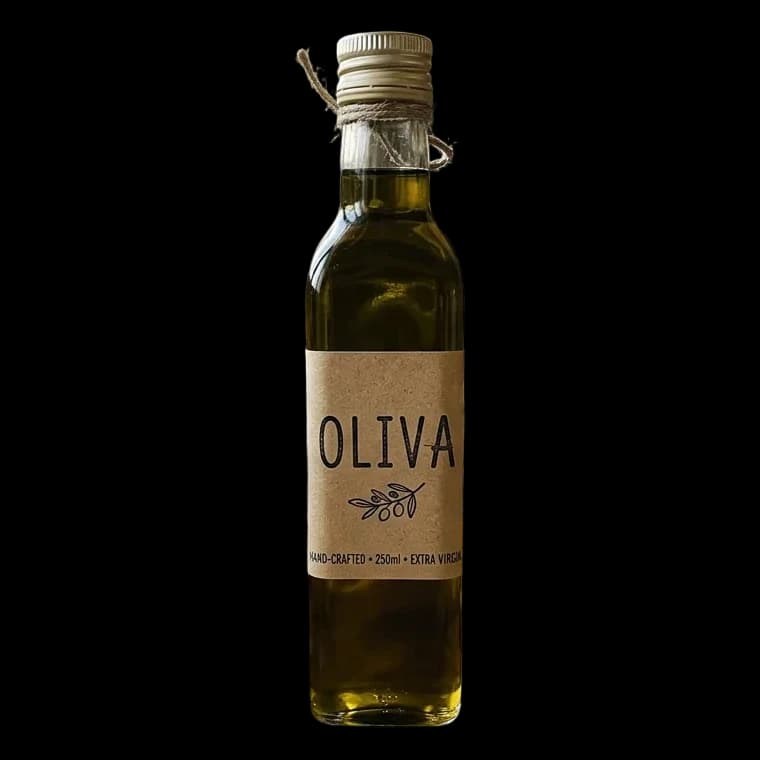
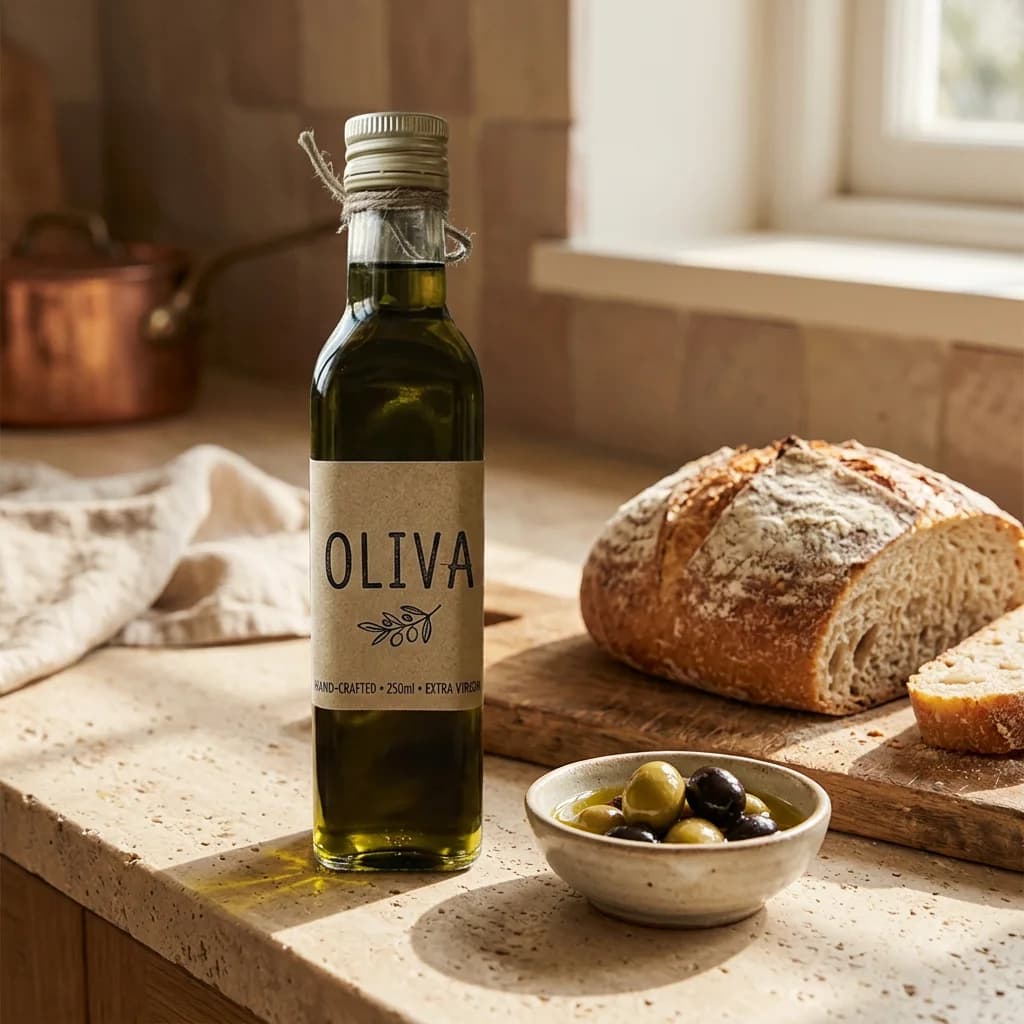
Our test image was a casual snapshot of an olive oil bottle on a cluttered kitchen counter (made with Nano Banana 2 to stand in for a phone photo). Run on the whole photo, BiRefNet removed the counter and the clutter but kept the half lemon beside the bottle as a second subject. We then cropped the photo to the bottle ourselves, as you would in a phone's photo app, and sent the cropped copy: BiRefNet returned the bottle alone, with the twine and the cap edge intact. That is the cut-out shown here, followed by a kitchen scene Nano Banana 2 made from it. Crop tighter than you think you need when you want the product alone.
For video we cut a 3-second, 480p piece of a dance clip and sent it to both video models. Bria and VEED each returned the dancer alone as a webm with a transparent background; the checkerboard behind them on this page is where the background was. Both kept the clip's sound.
Tips for clean cut-outs
- Light the subject evenly. Strong shadows and backlight make edges harder to find.
- Leave space around the subject. A product cut off by the frame edge comes out cut off.
- Check on two backgrounds. Stray pixels hide on white and show on black, and the other way round.
- Pick the right video model. Solid subjects such as products and people in plain clothes suit Bria; subjects with soft edges such as hair, smoke or glass suit VEED.
Limits
BiRefNet returns a transparent PNG. Recraft takes sources from 256 to 4096 pixels per side, at most 16 megapixels and 5 MB, and returns a transparent PNG. Bria V-RMBG 3.0 is charged per second of source video. VEED accepts sources up to 30 fps and outputs webm only, so pick Bria when you need mp4 or ProRes.
Questions
Can Claude remove the background from an image?
Yes, with Makemancer connected. Attach the image or share a link and ask for a transparent PNG; Claude returns the cut-out with a permanent link.
What image sizes are supported?
BiRefNet, the default, takes ordinary photo sizes. Recraft needs 256 to 4096 pixels on each side, at most 16 megapixels and 5 MB, so resize larger photos before you pick it.
Can I remove the background from a video?
Yes. Bria V-RMBG 3.0 gives steady edges on solid subjects and can output webm, mp4 or ProRes. VEED keeps semi-transparent parts partly transparent and outputs webm, for sources up to 30 fps.
How much does background removal cost?
An image cut-out costs $0.02. Bria V-RMBG 3.0 is charged per second of the source clip, and the assistant quotes every video job before it runs.
Why did the cut-out keep something next to my product?
The model keeps everything it reads as a subject, and an object standing right next to the product can count as one. Crop the photo to the product in any photo app, then send the cropped copy and run it again.