Grok Imagine in Claude and ChatGPT
Yes. Connect Makemancer and Claude, ChatGPT or Codex can use xAI's Grok Imagine models: Grok Imagine Image 2.0 to generate and edit images, and Grok Imagine 1.5 to turn one image into a 1 to 15 second clip with sound. An image costs from 12 credits ($0.12), and no xAI account is needed.
Made with it
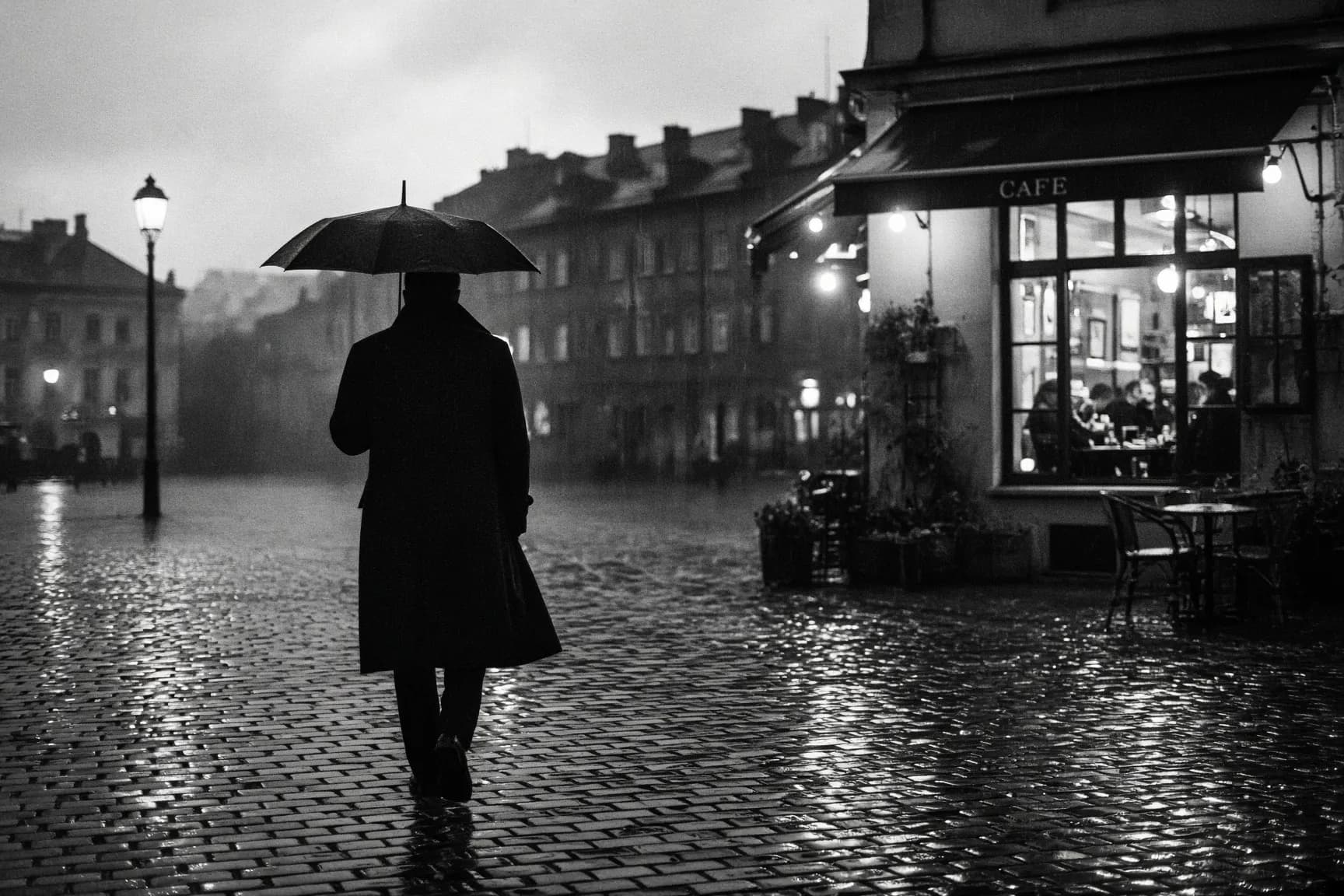
Our own results, first takes. Each caption says what it took.
What it costs
Credits per result at the settings shown, priced live. Ask the assistant for a quote on any other settings before it runs.
| Model | Best for | Priced for | Credits |
|---|---|---|---|
| Grok Imagine Image 2.0image/grok-imagine-2.0 | xAI Grok Imagine Image 2.0. Text generation and natural-language editing with up to 5 source images. | per image | 12$0.12 |
| Grok Imagine 1.5video/grok-imagine-1.5 | xAI Grok Imagine 1.5 with native audio, from one image (first frame or reference), 1-15 s at 480p/720p.Opens after your first credit purchase | 480p · 8 s | 137$1.37 |
Ask for it
Paste one of these, or open it straight in a new chat. The assistant picks this model when you name it.
A street scene
Make a 3:2 photo of a man with an umbrella crossing a wet cobblestone square at dusk, street lamps reflected in the stones. Use Grok Imagine Image 2.0 and tell me the cost first.Edit with several images
Here are three photos of my café: <links or files>. Make one wide image of the café front at night with the sign from the second photo lit up. Use Grok Imagine Image 2.0.Animate a still
Turn this image into a 6-second clip at 480p: <link or file>. Gentle rain starts, the umbrella sways, soft street sound. Use Grok Imagine 1.5 and tell me the cost first.From image to clip in one go
Make a 16:9 image of a desert motel at blue hour with a red neon sign using Grok Imagine Image 2.0, show it to me, then animate it into a short clip with Grok Imagine 1.5.When to use it
Good at
- Images from text, and edits described in natural language.
- Edits that draw on up to 5 source images.
- Animating one image into a clip with native audio, 1-15 s at 480p or 720p.
What Grok Imagine is good at
Grok Imagine Image 2.0 generates images from text and edits them from natural-language instructions, using up to 5 source images. Grok Imagine 1.5 is image-to-video only: it takes one image, as the first frame or as a reference, and makes a clip with native audio of 1 to 15 seconds at 480p or 720p.
How it compares
We animated the same desert motel still with three video models. Grok Imagine 1.5 returned an 8-second clip, its default length, with subtler motion at a smaller frame size, and at those settings it cost far more credits than Seedance 2.0 Mini or Wan 3.0. Seedance made a clear push-in in 5 seconds; Wan kept the frame steadier and added a car's headlights. The video model comparison has all three clips side by side.
Tips
- Set the length. Ask for the seconds you need; a shorter clip costs less than the default.
- Name the motion. "Slow push-in" or "rain starts and the umbrella sways" gives it something clear to animate.
- Check the price first. Ask the assistant to quote the clip before it runs, especially at 720p.
Questions
Can I use Grok Imagine in Claude?
Yes. Claude does not make images or video by itself, but with Makemancer connected it can call Grok Imagine Image 2.0 and Grok Imagine 1.5 when you name them.
Is Grok Imagine in ChatGPT?
Yes, through Makemancer added as a custom MCP server. Custom MCP servers depend on your ChatGPT plan and workspace settings, so check the official guide.
Can Grok Imagine make a video from text?
Not here. Grok Imagine 1.5 starts from one image, used as the first frame or as a reference. Make that image first with Grok Imagine Image 2.0 or any other image model.
How long can a Grok Imagine video be?
From 1 to 15 seconds at 480p or 720p. 1080p is not supported. Our test came back at 8 seconds, its default length, so say the length you want.
How much does Grok Imagine cost?
Images start from 12 credits ($0.12). Video costs more and depends on length and resolution; the price table above lists each model at its sample settings, and the assistant quotes any request before it runs.