AI product photos in Claude and ChatGPT
Yes. Connect Makemancer and Claude, ChatGPT or Codex can turn one phone photo of your product into a cut-out, lifestyle scenes and a sharper hero image. It removes the background with BiRefNet, places the product with Nano Banana 2 or Seedream 5 Pro, and upscales the winner. A 1K scene costs $0.12.
- Bring
- One clear photo of your product
- Get
- A cut-out and a set of matching scenes
- From
- 2 credits · $0.02
- Works in
- ClaudeChatGPTClaude CodeCodex


Made with it
Our own results, first takes. Each caption says what it took.
How to do it
Connect Makemancer
Add Makemancer to Claude, ChatGPT, Claude Code or Codex. The steps for each client are on the connection page.
Send your product photo and the scenes you want
A plain phone snapshot is enough. If other things stand right next to the product, crop the photo to the product in your phone's photo app before you send it. Ask for the cut-out first so the scene model sees only the product, then list the scenes and the shape.
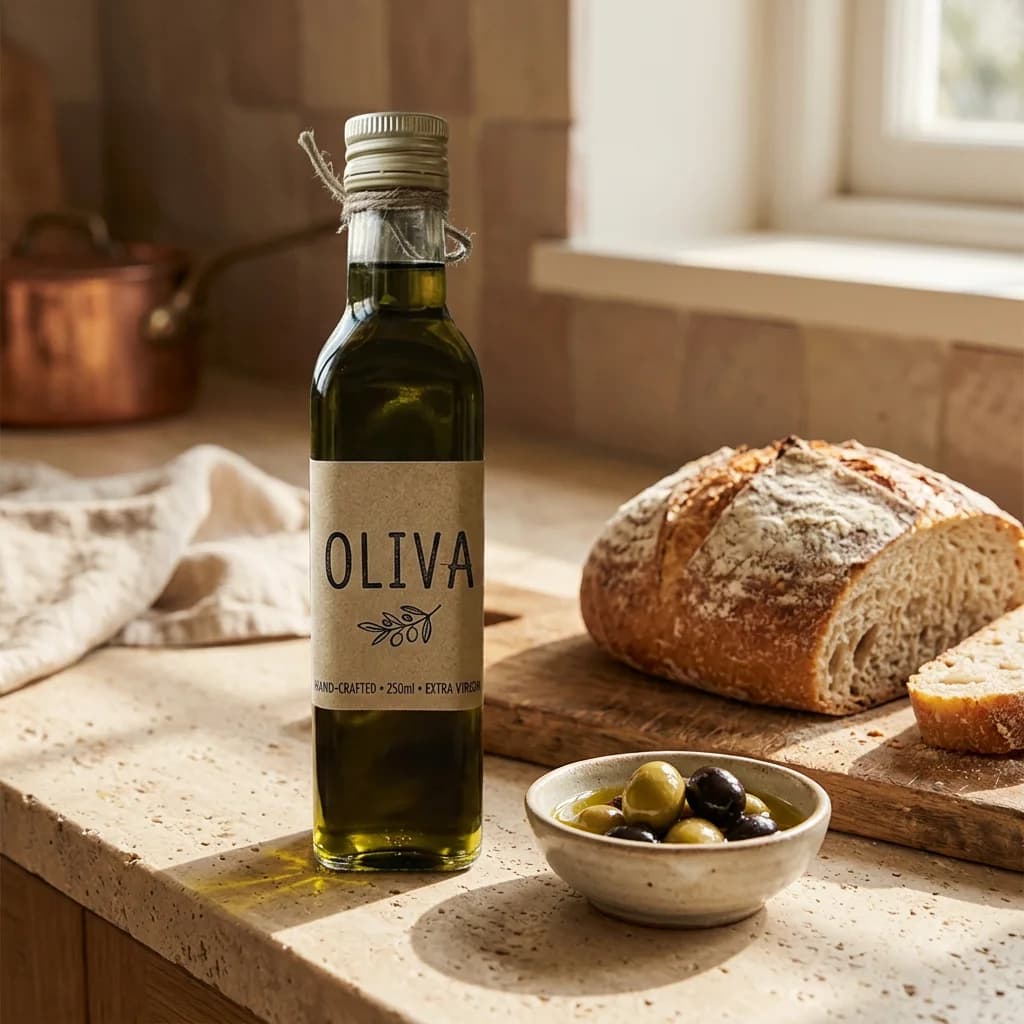
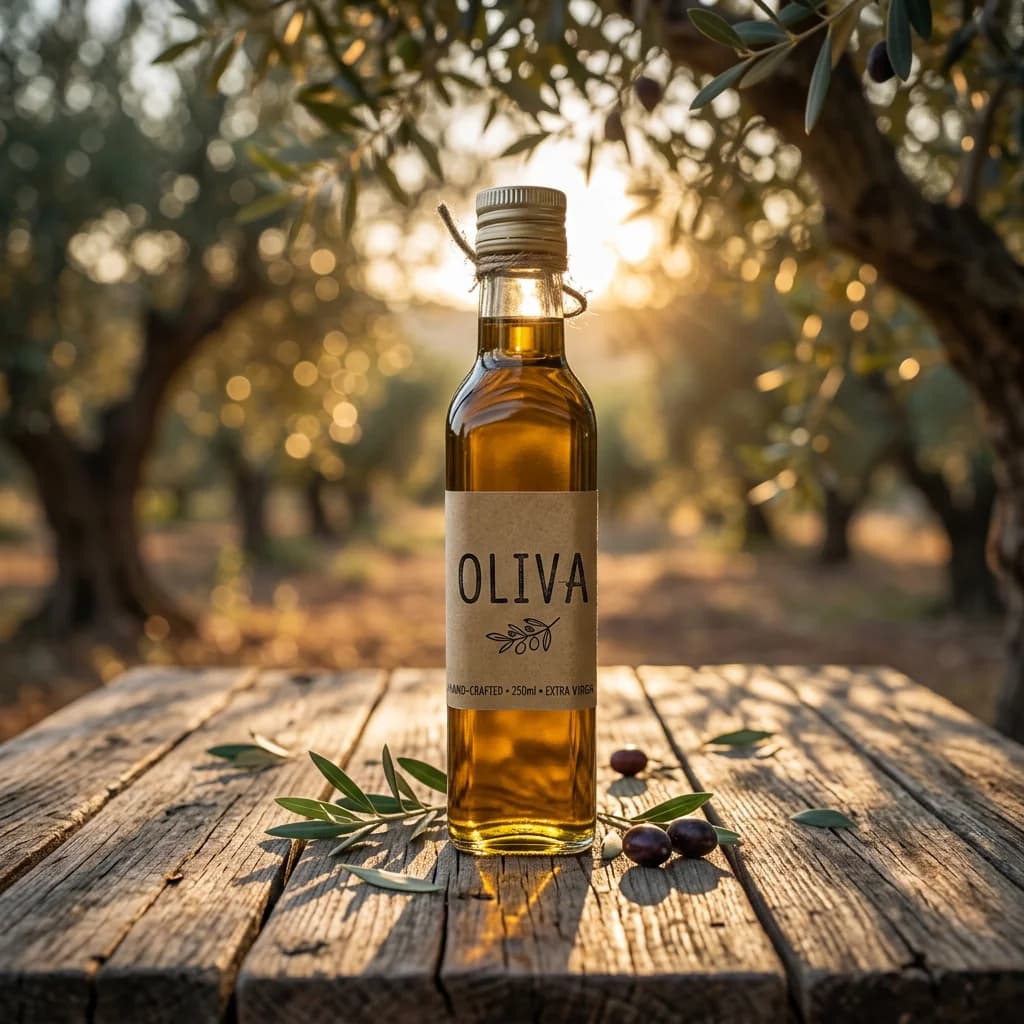
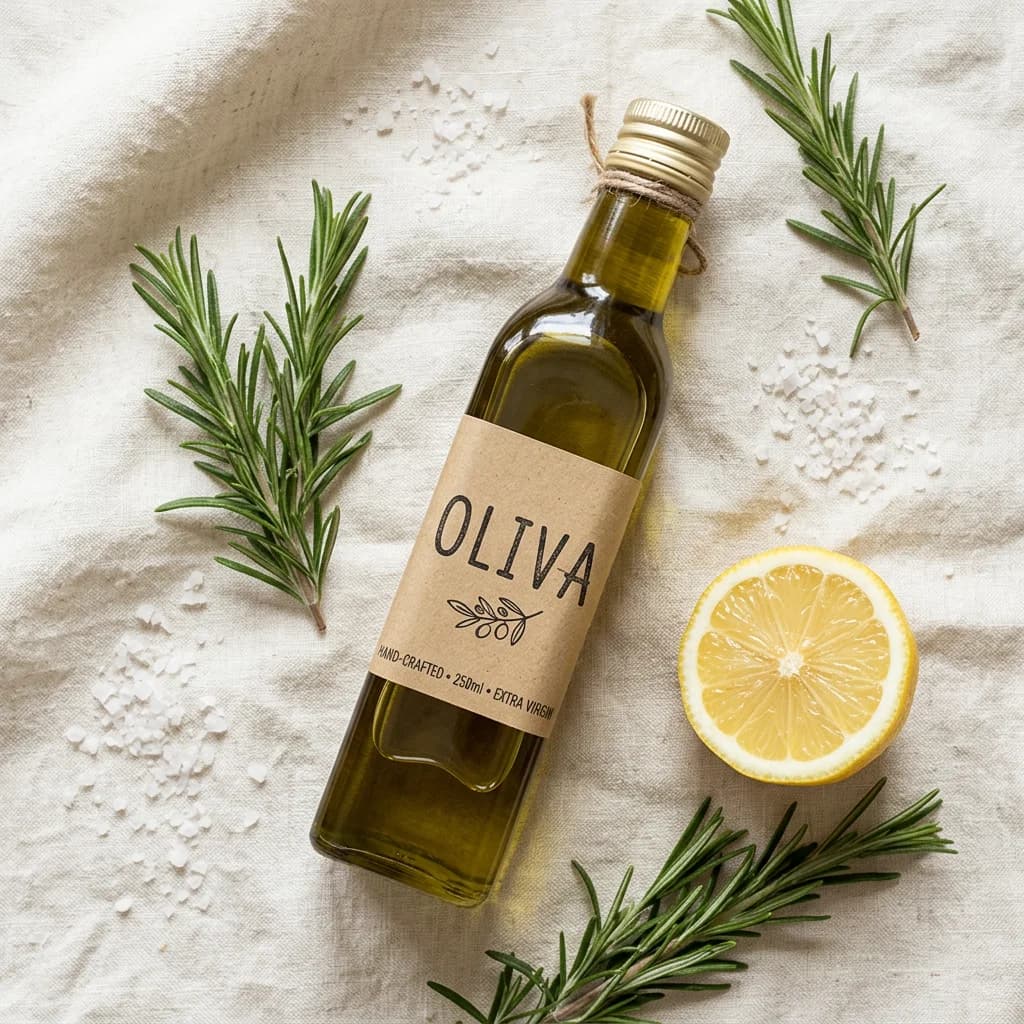
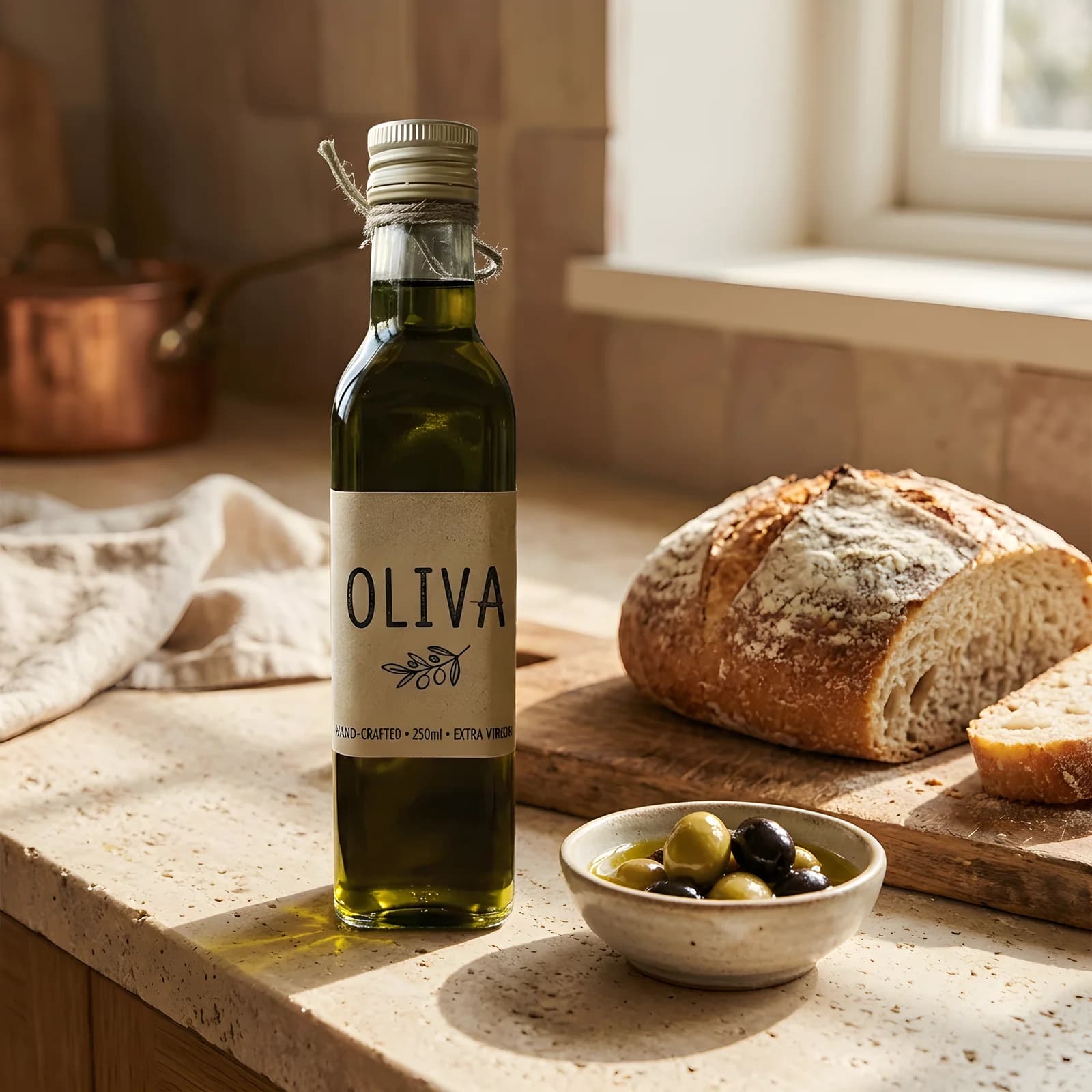
Here is my product photo: <link or file>. Remove the background and keep a transparent PNG. Then place the product, unchanged, in three square scenes: a sunlit stone kitchen counter with sourdough, a wooden table in an olive grove at golden hour, and a flat lay on cream linen with rosemary and sea salt. Use Nano Banana 2 at 1K and show me the total cost first.Fix details and finish the hero shot
Check the label and shape in each scene. Ask for one scene again if anything drifted, then upscale the one you will use as a banner.
The label in the second scene looks slightly different. Make that scene again and keep the label exactly as in the cut-out. Then upscale the kitchen scene for a website banner.
Which model to use
| Model | Best for | Priced for | Credits |
|---|---|---|---|
| Nano Banana 2image/nano-banana-2 | The default. Keeps a referenced product intact while changing the scene around it. | 1K · image | 12$0.12 |
| Seedream 5 Proimage/seedream-5-pro | Product and marketing scenes, guided by your reference image. | 2K · image | 18$0.18 |
| FLUX Kontext Maximage/flux-kontext-max | Precise edits to an existing shot, such as fixing label text. | per image | 16$0.16 |
| BiRefNet v2background-removal/birefnet | The cut-out: a transparent PNG of your product, the default for photos. | per request | 2$0.02 |
| Recraft Crisp Upscaleupscale/recraft-crisp | A crisp, larger version of the scene you pick for banners. | per request | 2$0.02 |
What we got from one snapshot
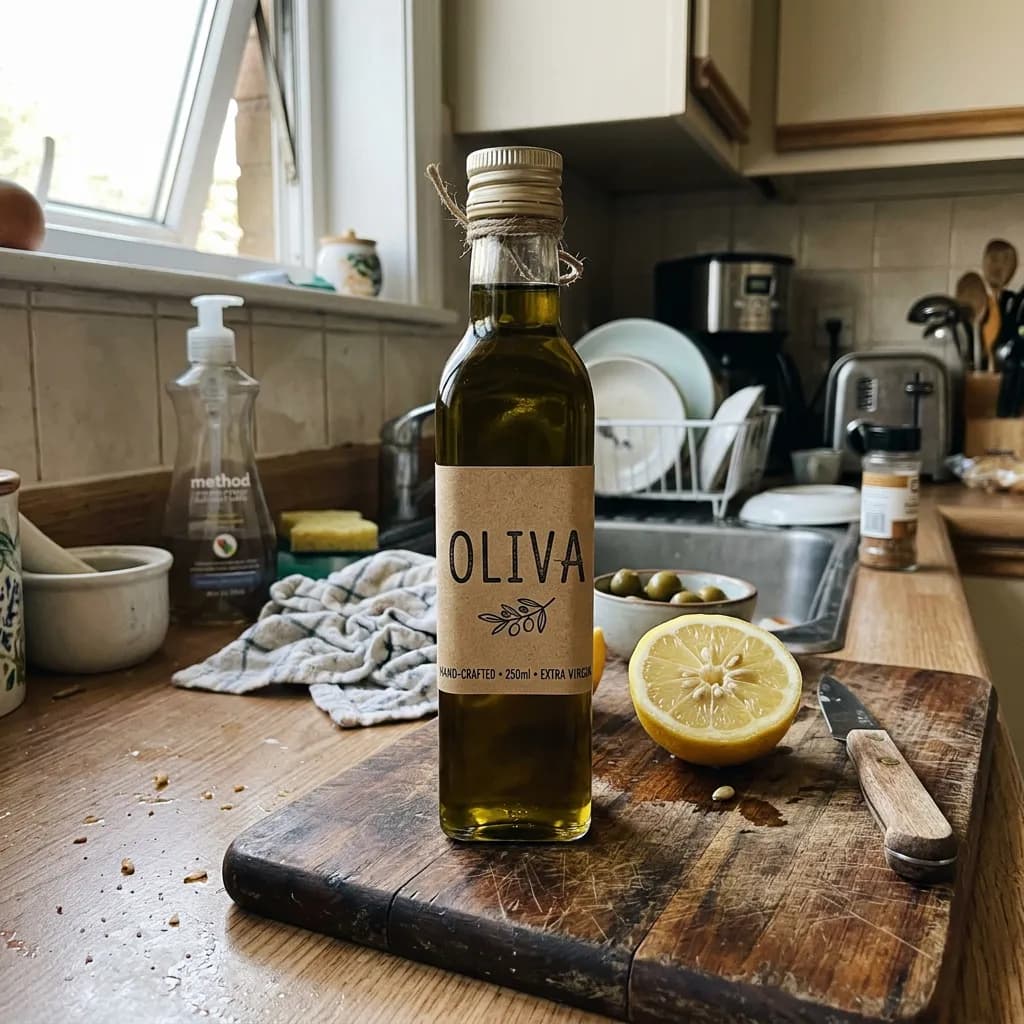
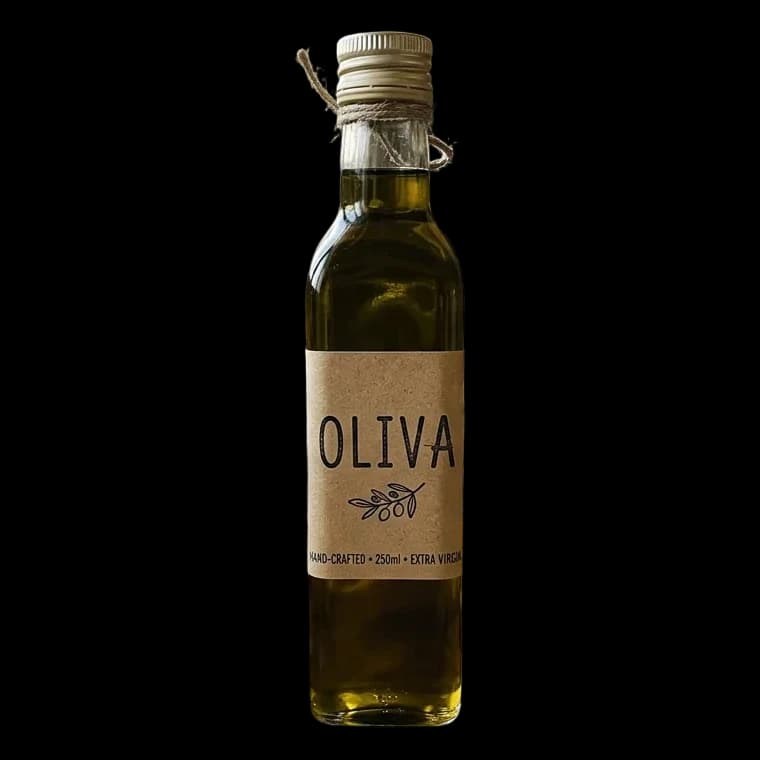
Everything above came from one casual snapshot of a hand-made olive oil bottle on a kitchen counter, made to look like a phone photo. BiRefNet cut the bottle out, then Nano Banana 2 placed the cut-out on a kitchen counter, in an olive grove and in a flat lay, each at 1K. The bottle shape and the kraft paper OLIVA label carried over to all three. Last, Recraft Crisp Upscale enlarged the kitchen scene from 1024 to 1600 pixels for a banner.
One honest note: the original photo had half a lemon right beside the bottle, and background removal on the whole photo kept it as a second subject. We cropped the snapshot to the bottle ourselves, as you would in a phone's photo app, and sent the cropped copy, so the cut-out, and every scene made from it, shows only the product. Crop tight when you want the product alone, and check the cut-out before making scenes.
Tips for product scenes
- Say "unchanged". Phrases like "the exact bottle from the reference, label and shape unchanged" keep the model from redesigning your packaging.
- Describe the setting, the light and the props. "Sunlit stone counter, sourdough, soft morning daylight" works better than "nice kitchen".
- Match the shape to the channel. Square for marketplaces, 4:5 for social feeds, 16:9 for website headers.
- Animate the best one. A product still can become a short video; see image to video.
Limits
Very small print, fine logos and transparent glass are the hardest parts to keep exact. Look at the label in every scene before you publish, and use FLUX Kontext Max to correct a detail without repainting the whole image.
Questions
Can Claude make product photos from my own photo?
Yes, with Makemancer connected. Share a link or attach the file, ask for a cut-out, then describe the scenes; the product image is passed to the model as a reference.
Will my product look the same in every scene?
Shape, color and label stay close because every scene uses the cut-out as its reference. Small text on packaging can drift, so check it and ask for that scene again or fix it with FLUX Kontext Max.
Do I need a studio photo to start?
No. Our olive oil set started from a casual snapshot of the bottle on a cluttered kitchen counter in uneven indoor light (we made that snapshot with Nano Banana 2 to stand in for a phone photo).
How much does a product photo set cost?
A cut-out costs $0.02 and each 1K Nano Banana 2 scene costs $0.12. The assistant adds up the whole set and shows the total before anything runs.
Can I get a plain white background for marketplaces?
Yes. Ask for one extra image of the product on a plain white background, at 2K if the marketplace wants larger files.